Add The Sportzologist to Your Phone
Want The Sportzologist Experience sitting on your home screen like a proper app? Good. It only takes a few taps. Unlike IKEA, you actually need to read the instructions. Fortunately, ours have pictures.
iPhone & iPad
Use Safari. Four steps and you're in.
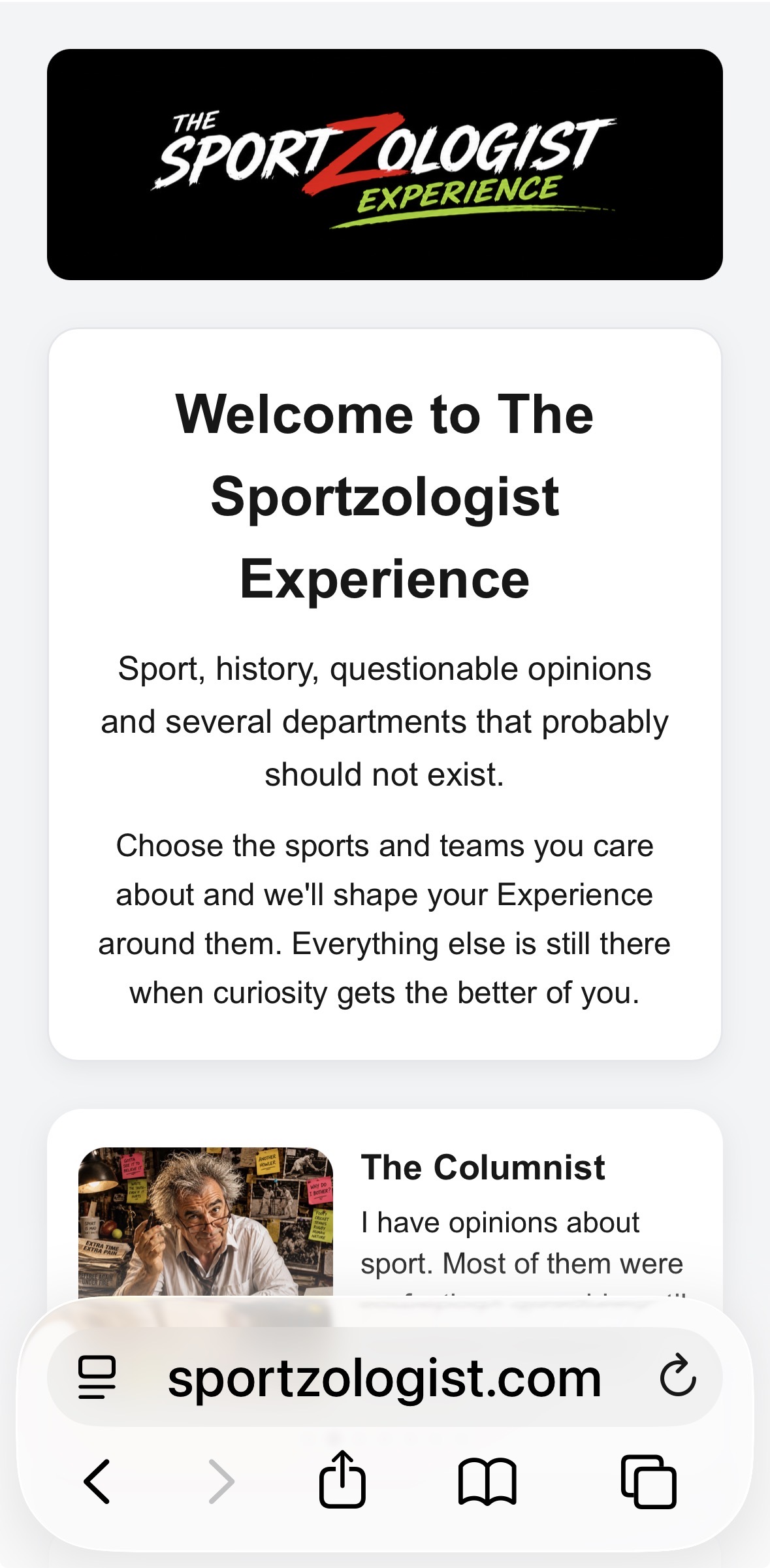
Open The Sportzologist in Safari
Open The Sportzologist Experience in Safari, then tap the Share button at the bottom of the screen.
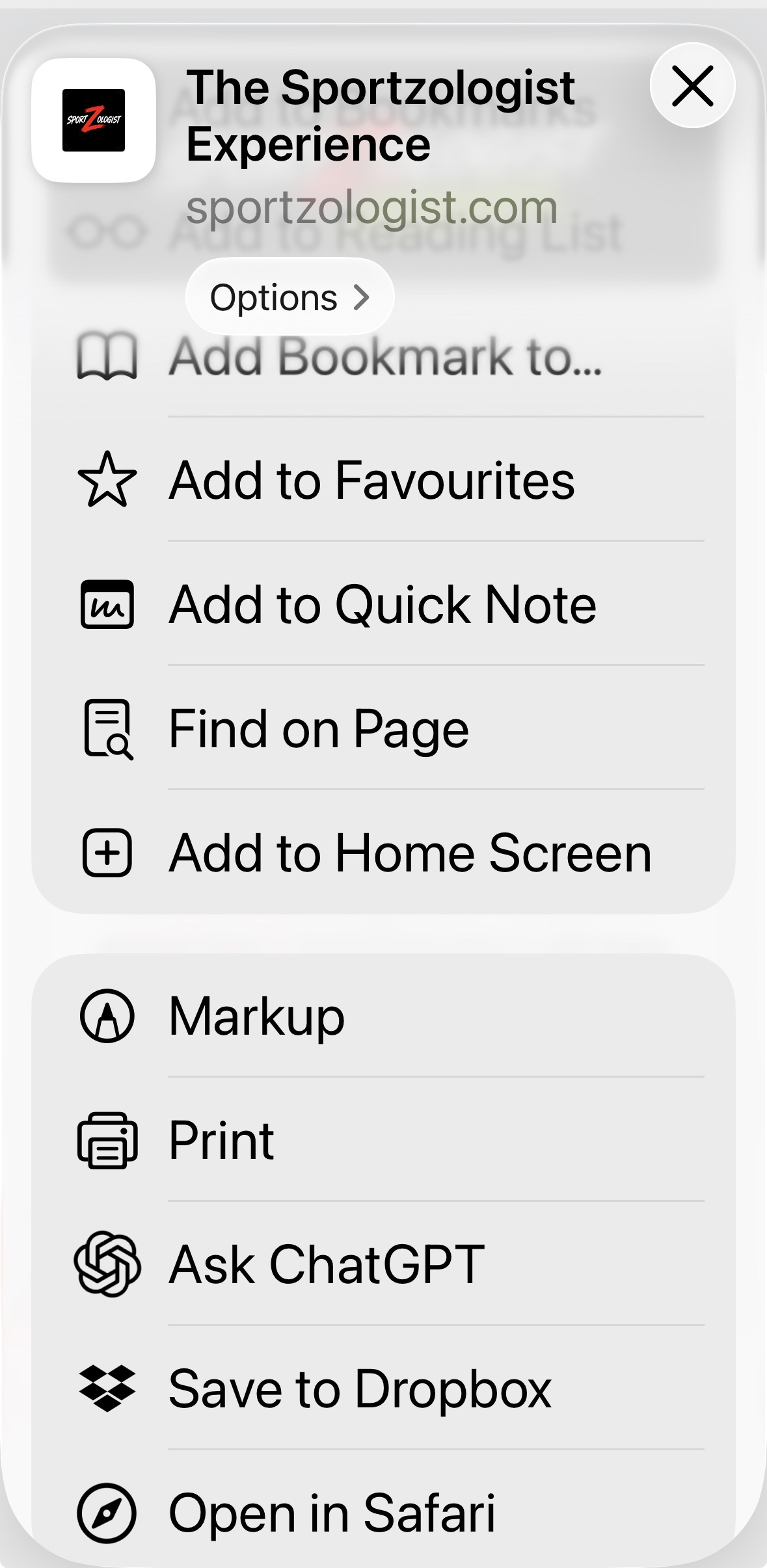
Choose Add to Home Screen
In the Share menu, scroll until you see Add to Home Screen, then tap it.
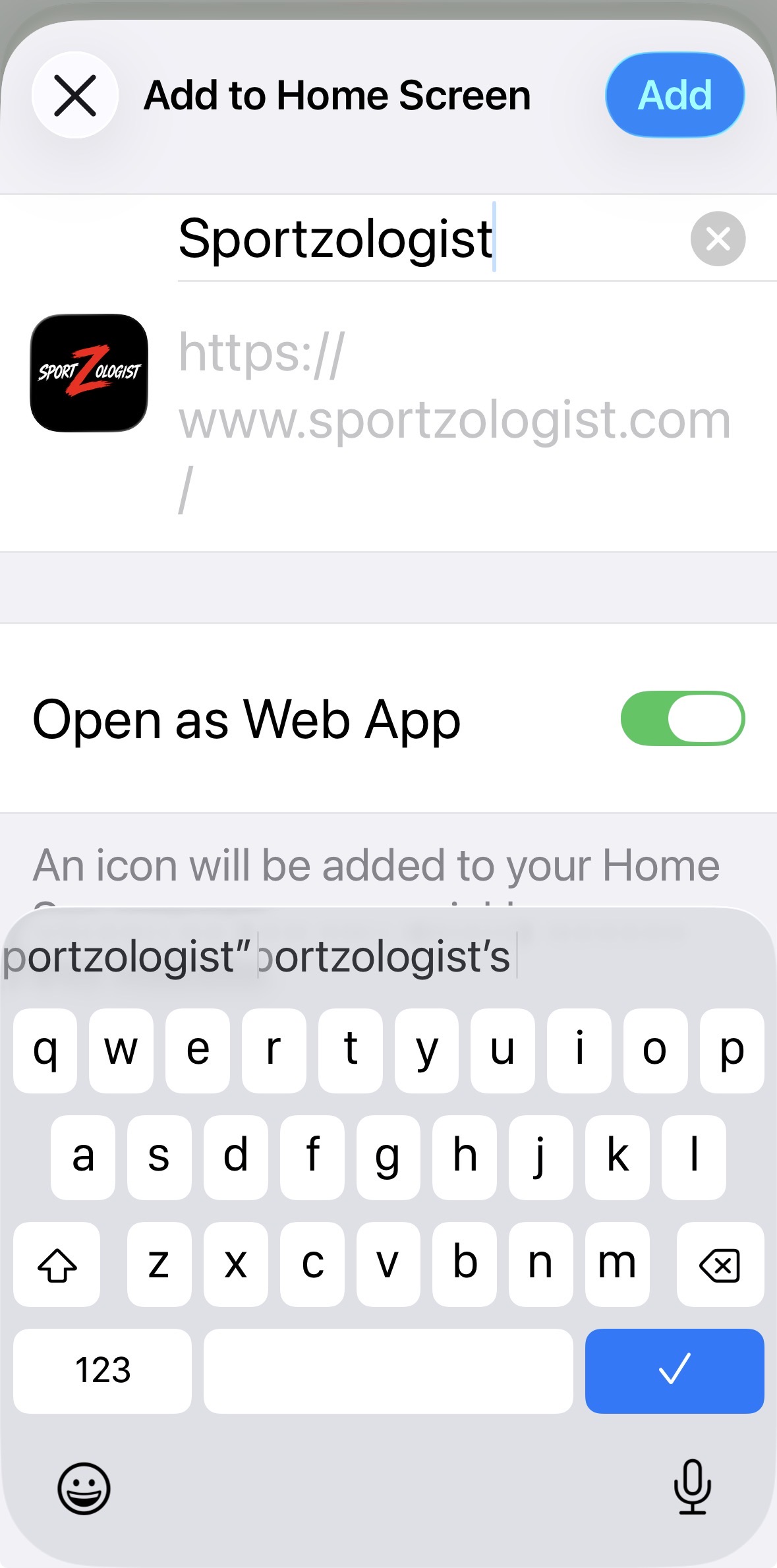
Tap Add
Check that The Sportzologist name and icon are showing. Leave Open as Web App switched on, then tap Add.
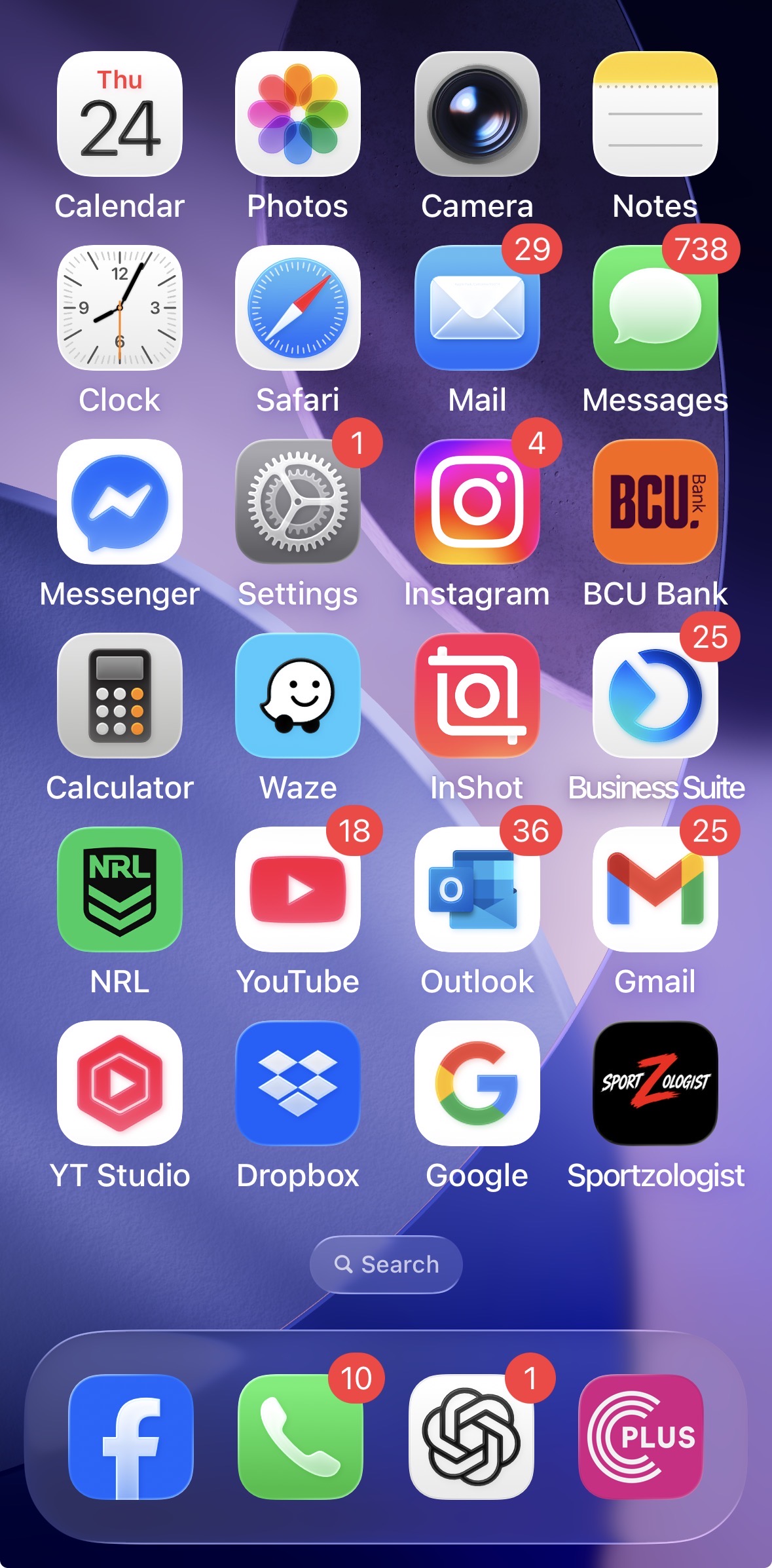
That's It
The Sportzologist icon will now appear on your Home Screen. Tap it whenever you want to enter the Experience.
Android
The wording can vary slightly depending on your phone and browser.
- Open The Sportzologist Experience in Chrome.
- Tap the menu button in Chrome.
- Look for Install app or Add to Home screen.
- Follow the prompts to confirm.
- The Sportzologist icon will appear with your other apps.
You're In.
From now on, tap the icon and head straight into The Sportzologist Experience. No assembly required. No tiny Allen key included.